POS System UAE: What to Check Before Buying for a Small Business
Choosing a POS system is about more than checkout. Here are the key features UAE small businesses should check before investing in billing, payments, stock management and self-service technology.
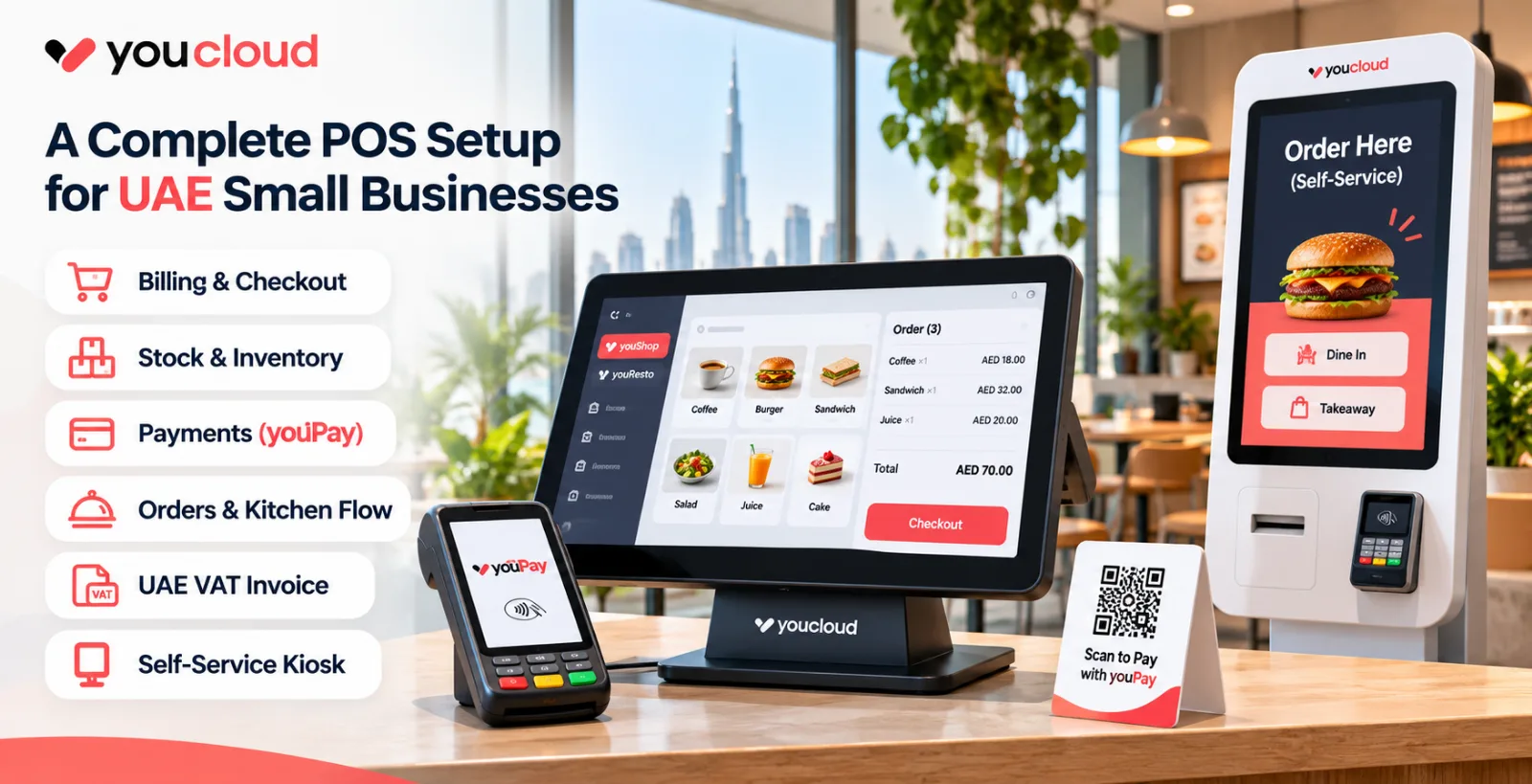
POS System UAE: What to Check Before Buying for a Small Business
Choosing a POS system UAE businesses can rely on is an important step for any small business. A good POS system does more than process sales. It also helps you manage stock, take payments, handle orders, and track daily business activity.
However, not every POS solution is the same. Some only focus on billing. Others support inventory, digital payments, self-service ordering, and multi-branch reporting. So, before you buy, you should know what to check.
This guide will help you make a better decision for your shop, restaurant, or growing business in the UAE.
1. Choose a POS That Matches Your Business Type
First, think about how your business works every day. A retail shop and a restaurant need different tools.
For example, a retail store may need:
- barcode billing
- stock updates
- low-stock alerts
- customer records
- loyalty offers
On the other hand, a restaurant may need:
- dine-in and takeaway order management
- kitchen display support
- menu control
- delivery platform integration
- table billing
Because of this, you should not buy a POS system based on price alone. Instead, choose one that fits your actual workflow.
2. Check VAT Invoice Support
In the UAE, VAT compliance matters. Therefore, your POS should help you create proper tax invoices.
Before buying, check whether the system can show:
- invoice number
- invoice date
- business name
- TRN
- item details
- VAT amount
- total payable amount
This is important because small mistakes in invoices can create accounting problems later.
Also, keep one thing in mind. A normal PDF invoice is not the same as UAE eInvoicing. Structured eInvoicing is a separate requirement. So, if your business falls under the upcoming eInvoicing rules, ask whether your software setup can support that process.
3. Make Sure Payment Options Are Flexible
Customers want fast and easy payments. So, your POS should support the payment methods your customers use most.
For instance, you may need support for:
- card payments
- QR payments
- online payments
- payment links
- digital payment tracking
This is where youPay becomes useful. It adds a payment layer to the overall system. As a result, businesses can manage different payment channels in a more connected way.
For example, youPay can help support:
- in-store payments
- online checkout
- QR-based payments
- pay-by-link payments
This is especially useful for businesses that sell through more than one channel. In addition, it can improve visibility by keeping payment activity easier to track.
Still, for the UAE market, you should confirm the exact local payment options, settlement details, and provider support with the sales team.
4. Think About Self-Service Kiosk Options
Today, many businesses want to serve customers faster. As a result, self-service tools are becoming more valuable.
A self-service kiosk allows customers to browse, order, and pay on their own. This can reduce pressure on staff and shorten queues.
For example, kiosks can help in:
- quick-service restaurants
- cafés
- food courts
- ticketing counters
- pickup points
- retail counters
YouCloud also offers a self-service kiosk option. This can be useful if your business wants to improve customer flow while reducing wait times.
In a restaurant, a kiosk can take orders directly from the customer. Then, the order can move into the kitchen workflow. In a retail setup, it can support faster checkout or guided product selection.
So, if speed and convenience matter in your business, kiosk support should be part of your buying checklist.
5. Check Inventory and Order Management
A POS should do more than complete a sale. It should also help you stay in control of daily operations.
For retailers, that means stock should update when an item is sold. It also helps if the system gives low-stock alerts and product-level reporting.
For restaurants, order management is just as important. Staff should be able to send orders quickly. Meanwhile, the kitchen should see those orders clearly.
Because of this, you should ask:
- Does stock update automatically?
- Can I manage product variants?
- Can I track popular items?
- Can I manage menu availability?
- Can I view reports across branches?
These features save time. More importantly, they reduce manual work.
6. Ask About Offline Support
Internet issues can happen at any time. However, your business should still be able to operate.
That is why offline support matters. If the internet goes down, can your team still create bills or take orders? Also, what happens when the connection returns?
Before you choose a system, ask:
- Can billing continue offline?
- Can orders still be taken offline?
- Will the data sync later?
- Which features stop working during downtime?
This is a practical question, not a technical one. After all, if your team cannot serve customers during a connection problem, the business will suffer.
7. Understand the Total Cost
Price matters. However, the monthly software fee is only one part of the full cost.
You should also ask about:
- hardware cost
- setup charges
- training cost
- support fees
- payment processing charges
- extra user fees
- branch expansion cost
Sometimes a cheaper system becomes expensive later. For example, you may need to pay extra for support, inventory, or reporting features. Therefore, always ask for the full cost before making a decision.
8. Make Sure the System Can Grow With You
Your needs today may be small. However, your business may grow quickly.
So, think ahead. Can the system support:
- more outlets
- more staff
- central reporting
- price updates across branches
- inventory transfers
- multiple sales channels
A good POS should not only support where you are now. It should also support where you want to go next.
How YouCloud Supports Small Businesses
YouCloud offers solutions for different business needs. So, instead of using many separate systems, businesses can manage more from one connected setup.
youShop
youShop is designed for retail businesses. It helps manage:
- billing
- stock
- customer records
- offers and loyalty
- reports
- offline billing
Because of this, it can support daily retail operations more efficiently.
youResto
youResto is built for restaurants. It can help with:
- order taking
- kitchen display workflows
- menu handling
- delivery platform integration
- outlet-level reporting
As a result, restaurant teams can work faster and with better coordination.
Self-Service Kiosk
YouCloud’s kiosk option can help businesses improve customer flow. For example, it can support self-ordering and self-checkout in busy environments.
youPay
youPay supports payment needs across different channels. This includes in-store payments, online payments, QR payments, and payment links.
Together, these solutions can help businesses build a more connected setup. However, final features and payment support should always be confirmed based on your UAE business needs.
Final Checklist Before You Buy
Before choosing a POS system in the UAE, ask yourself:
- Is the system right for my business?
- Will it create the VAT invoices I need?
- Have I checked my eInvoicing requirements?
- Which payment methods are supported?
- Can my team manage stock, orders and branches?
- Would a self-service kiosk help reduce queues?
- What happens if the internet stops working?
- How much will the software, hardware and payments cost?
A good POS system should save time and make daily work easier. It should also support your business as it grows.
Looking for a POS system in the UAE? Explore YouCloud's retail, restaurant, self-service kiosk and youPay solutions. Contact the team to find the right setup for your business.