POS Software UAE: Cloud vs Traditional POS for Shops and Cafés
Cloud or traditional POS? Compare POS software in the UAE for shops and cafés. Learn about costs, payments, stock, offline billing, and YouCloud solutions.
Running a shop or café in the UAE is not easy. You need to manage sales, stock, orders, and payments every day. The right POS software UAE businesses choose can make these tasks easier.
But which is better: cloud POS or traditional POS?
Both systems help you bill customers. However, they work in different ways. Let's compare them so you can choose what suits your business.
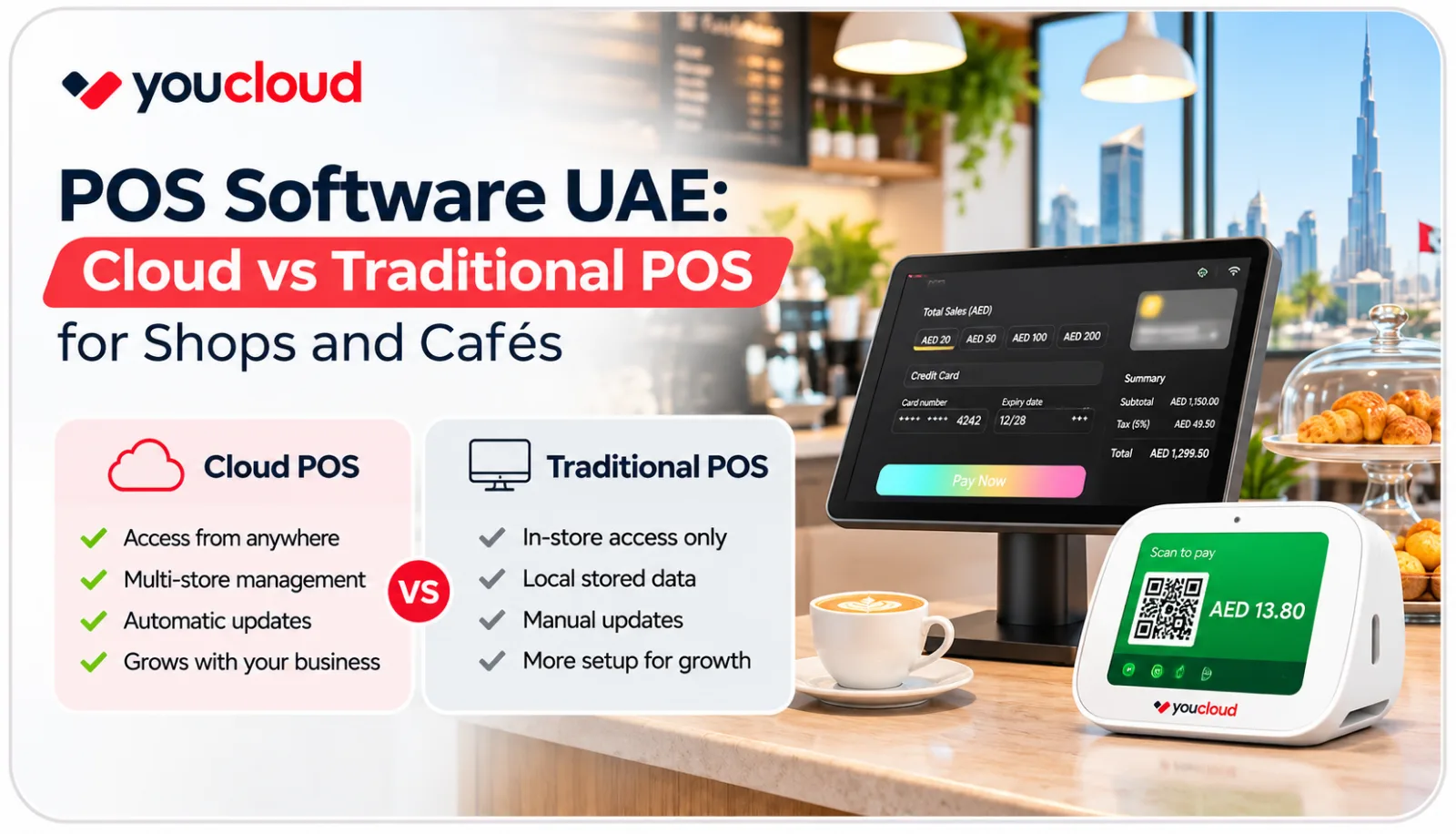
Cloud vs Traditional POS: What's the Difference?
A traditional POS stores sales data on a local computer or server. It works well for basic billing. However, remote access may need extra setup.
A cloud POS shares data through online services. As a result, you can check sales, track stock, and manage stores from different places.
Cloud POS vs Traditional POS: Quick Comparison
- Sales Reports: Cloud POS offers remote access. In contrast, traditional POS usually needs local access.
- Stock Tracking: Cloud POS can link multiple stores. Meanwhile, traditional POS often tracks stock at each store.
- Updates: Cloud POS often updates online. However, traditional POS may need manual updates.
- Internet: Cloud POS needs internet to sync data. On the other hand, traditional POS can often work offline.
- Costs: Cloud POS often uses monthly plans. In comparison, traditional POS may have upfront licence costs.
- Growth: Cloud POS can make adding stores easier. However, traditional POS may need extra setup.
For this reason, cloud POS can make daily work simpler for growing shops and cafés.
1. Manage Sales and Stock with Cloud POS
Running a retail shop means keeping track of every sale and product. When stock records are wrong, you may run out of popular items.
Cloud POS helps you see sales and stock in one place.
YouCloud's youShop offers tools to:
- Record sales and payments.
- Track stock levels.
- Get low-stock alerts.
- Manage customer details.
- Check reports for multiple stores.
As a result, you can spend less time checking records and more time serving customers.
2. Speed Up Orders in Your Café
A busy café needs fast service. Staff must take orders, send them to the kitchen, and collect payments.
A basic POS may handle billing. But cafés often need extra tools to manage orders.
YouCloud's youResto helps cafés and restaurants manage:
- Customer orders.
- Kitchen displays.
- Menu changes.
- Sales reports.
- Supported delivery connections.
For example, staff can enter an order at the counter. The kitchen team can then see it on a screen.
This helps keep orders clear and reduces the need for paper slips.
3. Check What Works Without Internet
Internet issues can happen during business hours. So, it's important to know what your POS can do offline.
Traditional POS systems often handle local billing without internet access.
Some cloud POS systems also offer offline billing. YouCloud supports offline tasks in certain retail and restaurant setups.
However, card payments and online services may still need a connection.
Tip: Ask for an offline demo before you buy.
4. Make Payments Easier with youPay
Customers want a quick and easy way to pay. Some use cards. Others prefer QR codes or online payments.
A connected POS and payment system can help staff manage checkout and keep better records.
YouCloud's youPay offers payment tools for supported businesses. These may include:
- Card payments.
- QR payments.
- Online checkout.
- Payment links.
Ask the YouCloud team which options are available for your UAE business.
5. Let Customers Order with a Self-Service Kiosk
A self-service kiosk lets customers browse a menu or products and place orders on a screen.
This can be useful in busy cafés, food courts, and takeaway shops.
YouCloud offers kiosk solutions for supported business setups.
A kiosk can help customers order without waiting at the main counter. It also gives staff more time to prepare orders and help customers.
Before buying, check that the kiosk works with your POS, payment tools, and kitchen system.
6. Compare the Total Cost
Price matters when choosing POS software in the UAE.
Traditional POS may have a higher starting cost for licences and hardware. Cloud POS often has a monthly or yearly fee.
Still, the cheapest option is not always the best.
Check these costs before you decide:
- POS software fees.
- Devices and setup.
- Payment charges.
- Staff training.
- Support and updates.
- Extra stores or add-ons.
Also, think about the future. Will the system still work well when you open another shop?
Why Choose YouCloud for Your UAE Business?
YouCloud offers connected tools for shops, cafés, and restaurants.
- youShop: Manage retail sales, stock, and customers.
- youResto: Handle café orders and kitchen tasks.
- youPay: Offer supported digital payment options.
- Self-Service Kiosk: Let customers place their own orders.
These tools can help you run more of your business from one connected setup.
Final Verdict: Which POS Is Better?
A traditional POS may be enough if you only need basic billing at one location.
However, cloud POS may be a better fit if you want easy reports, stock tracking, and support for more stores.
When comparing POS software UAE options, choose a system that fits your budget and daily work.
Ready to make business easier?
Explore YouCloud UAE and find the right POS solution for your shop or café.